Bob's ur volume: Introducing Interactive Snippets for Sonos volume control for Gold subscribers in Bops v2025.12.0
Siri just became the fastest way to make quick adjustments to your Sonos system. It might call you Bob in the process, but hey, nobody’s perfect.
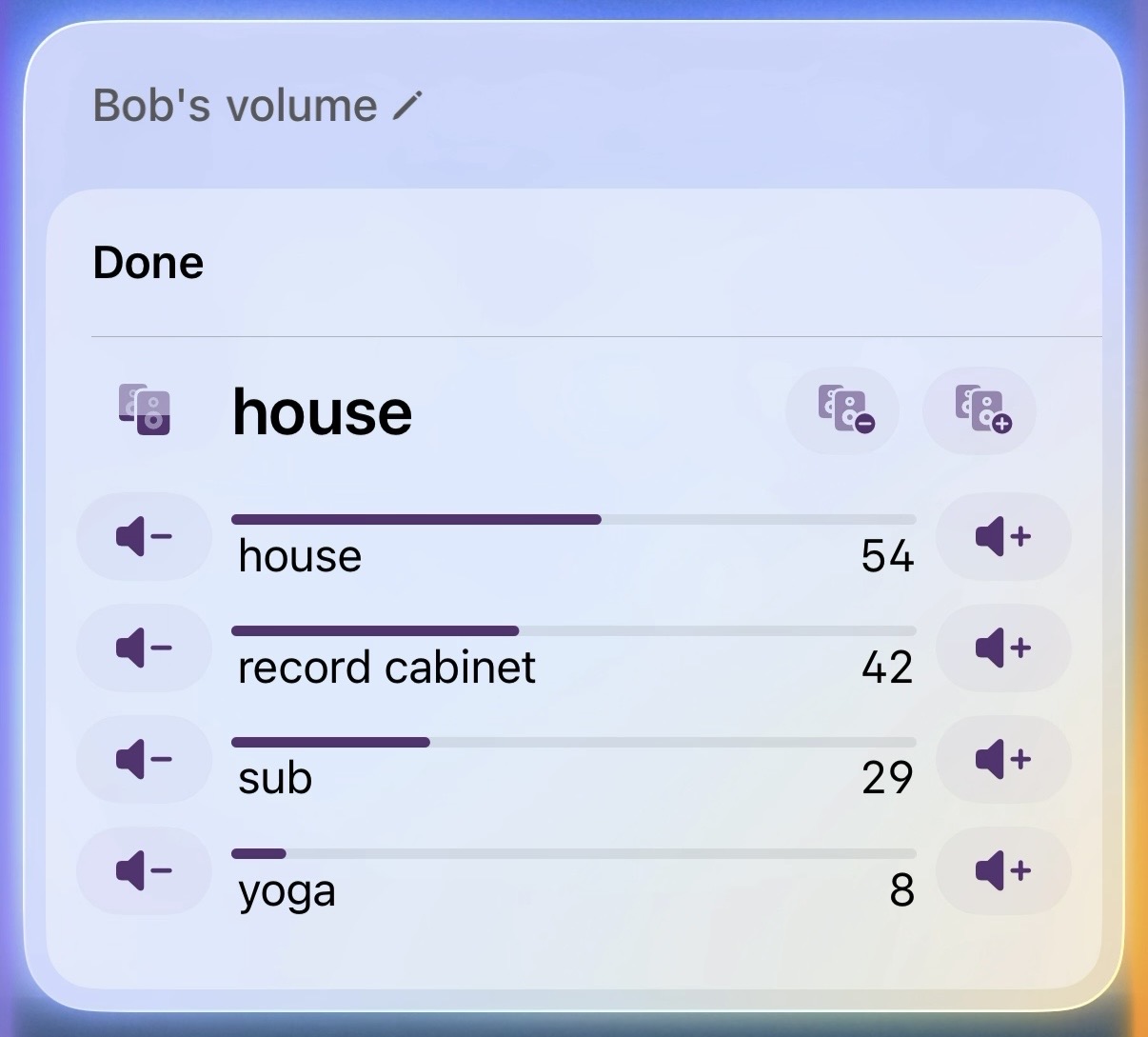
With the latest release, Bops Gold subscribers can use Siri, Shortcuts, or Spotlight to launch a new interactive snippet for quick control of the active Sonos group. It features individual speaker volume controls and group membership controls with no app launch; no waiting, no friction. Just say “Hey Siri, Bops volume,” and boom: you’re in control.
What’s an interactive snippet?
New in iOS 26, interactive snippets are lightweight native experiences that run inside Siri, Shortcuts, Spotlight; anywhere App Intents live. They’re perfect for repeatable tasks that should feel instant. In Bops’ case that means:
- Individual volume sliders with real-time feedback
- One-tap add/remove controls for speakers in the group
- Low-latency interaction powered by modern technologies like HTTP
It feels less like a feature and more like muscle memory: say the phrase, tap the control, keep the music flowing.
How to try it
-
Download Bops and subscribe to Gold in the Settings tab. Thanks for your support! Gold subscriptions power ongoing development of Bops and unlock powerful features that make your Sonos experience even better.
-
Ask Siri “Bops Volume” or “Control Bops group.” The snippet appears instantly. Check out our full Siri command reference for all phrases that launch the snippet.
-
Drop it into Shortcuts Add the “Manage Sonos Group” action, run the Shortcut, and the snippet slots right in.
-
Trigger it anywhere App Intents run App intents can be run from Spotlight, Shortcuts, Siri, or even the home screen. Anywhere you can run an intent, you can run this snippet. It works great in an Action Button Shortcuts folder if that’s your jam.
Built for people who actually listen
Bops has always been about removing friction between you and the bops you want to hear. When you just need the hallway speakers a touch louder or you want to bring the patio into the mix, you shouldn’t have to wait for an app to boot. You should ask or tap, and get on with it. That’s exactly what this snippet delivers.
Available now
Update Bops, invoke the snippet, and feel how effortless Sonos control can be. Got ideas for more snippets you’d like to see? Post a discussion or drop us a line at bops@urcomputeringpal.com!