Apple TVVersion 2026.11.0App Store
Top Shelf, faster Sonos updates and animated artwork
A new version of Bops: Now Playing for Sonos is available on the App Store for all tvOS 18.6+ users. Bops Now Playing now shows what’s playing around the house and your Sonos favorites on the Top Shelf. It also hears about changes from your speakers the moment they happen, instead of asking every 3 seconds, can switch to the room that’s playing when you come back after a break, and shows Apple Music artwork at your TV’s full resolution, animated when there is some. Download now and read on for details!
Top Shelf
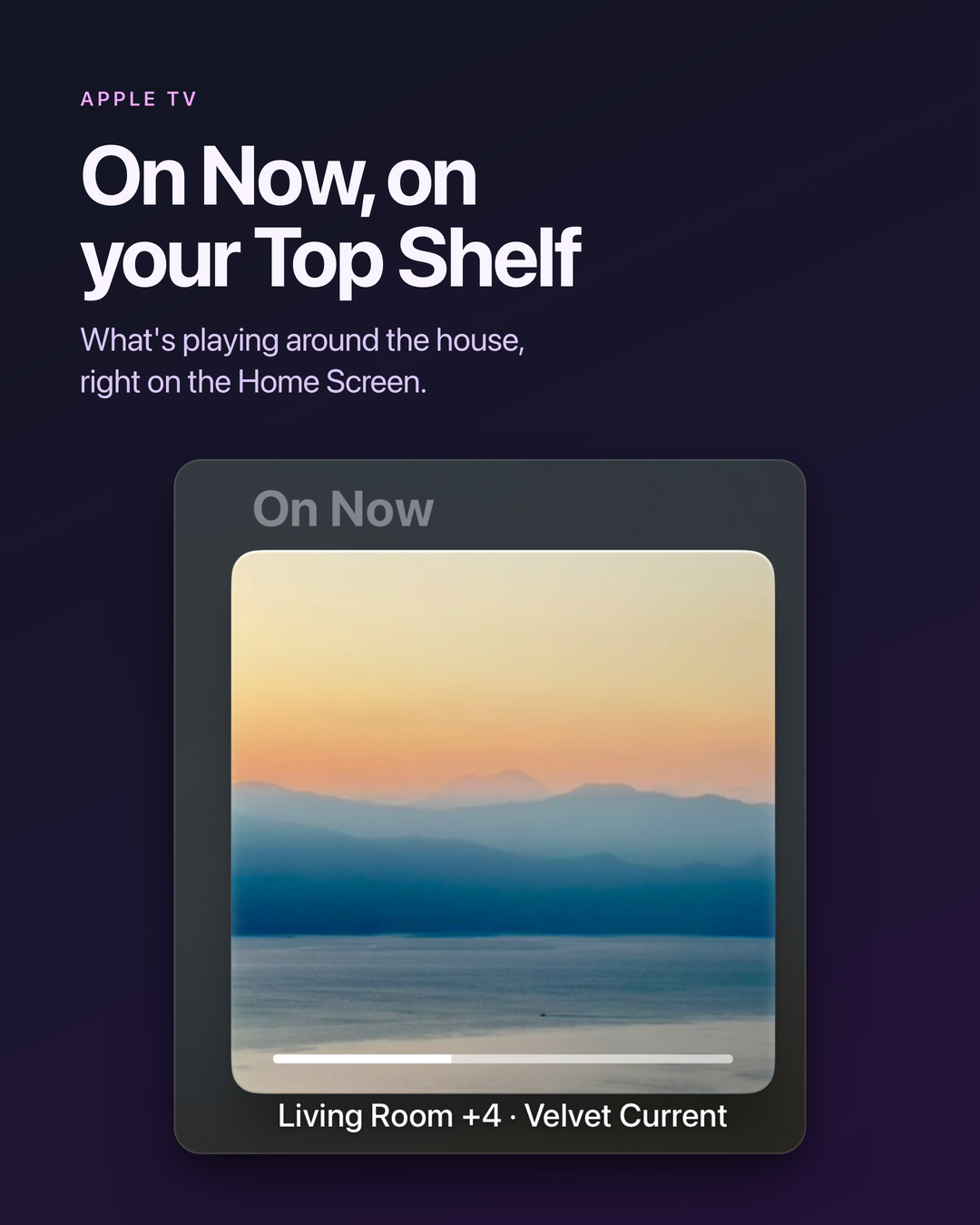
With Bops in your top row, the Home Screen shows:
- On Now: each room that’s playing, yours first, with its art and progress. Select one to open Bops on that room, or press Play to pause it.
- Your Sonos favorites: press Play to start one on your room, or Select to play it on another.
Faster updates from Sonos
Bops used to poll your speakers every 3 seconds over UPnP. Now it also keeps a websocket open to them, the way the Sonos app does, and they push changes as they happen. Bops still checks over UPnP to confirm what the websocket says, and for what it doesn’t cover, like your queue.
- Skips, play/pause, shuffle and repeat show up as soon as Sonos sends them, not on the next poll.
- Volume follows the remote and the Sonos app within a second.
- Far fewer requests to your speakers. The UPnP check runs every 15 seconds instead of every 3.
- Recovers on its own after the Apple TV sleeps or Wi-Fi drops, or when the speaker Bops connects through goes away.
To turn it off, go to Settings → About → Sonos connection and turn off Sonos Live Updates and Faster Sonos Volume. Bops goes back to polling every 3 seconds, without relaunching.
After a break
If your room went quiet while music plays in another room, Bops can switch to the playing room when you come back. It stays put if your room is playing, even in a group, or if you pick a room first. A soundbar counts as playing while its TV is on.
To turn it on, go to Settings → Appearance → After a break and choose how long you’re away before Show the playing room switches. It’s off by default, since most TVs stay with their own speaker. The same section sets how long until Bops stops showing the last song as current: 5 minutes, and Never keeps showing it.
Artwork
- Sharper and animated. When Apple Music is playing, Bops shows its artwork at your TV’s full resolution, and animated artwork when there is some. Bops asks for Apple Music access the first time it opens. Settings → Appearance → Artwork turns either off.
- Music streamed to Sonos from a media server on your network shows its artwork.
- Artwork shows up sooner when you open Bops, then sharpens when Apple Music’s arrives.
Also on Apple TV
- Like or Suggest Less the playing Apple Music song from the playback controls, with your Apple TV’s account. Settings → Playback → Remove 👎 takes 👎 songs out of the queue and skips them on stations.
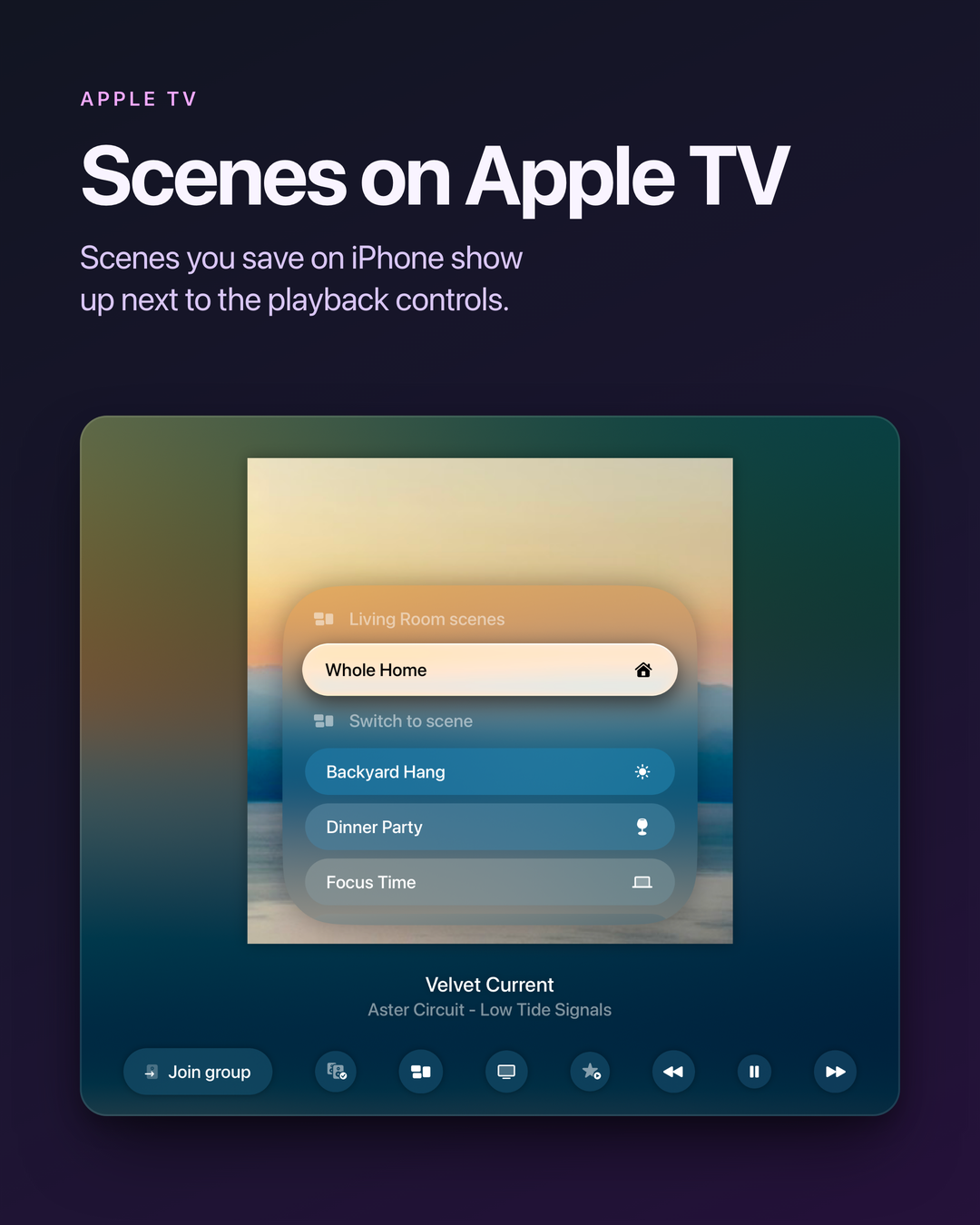
- Scenes you saved in Bops on iPhone show up in a Scenes button next to the playback controls.
- Queues that keep going. When Bops on iPhone, iPad or Mac sets a queue to continue into a station, an ∞ button shows next to the playback controls, to see which station plays next or stop when the queue ends instead. While Bops is open on that room, the Apple TV starts the station when the queue runs out.
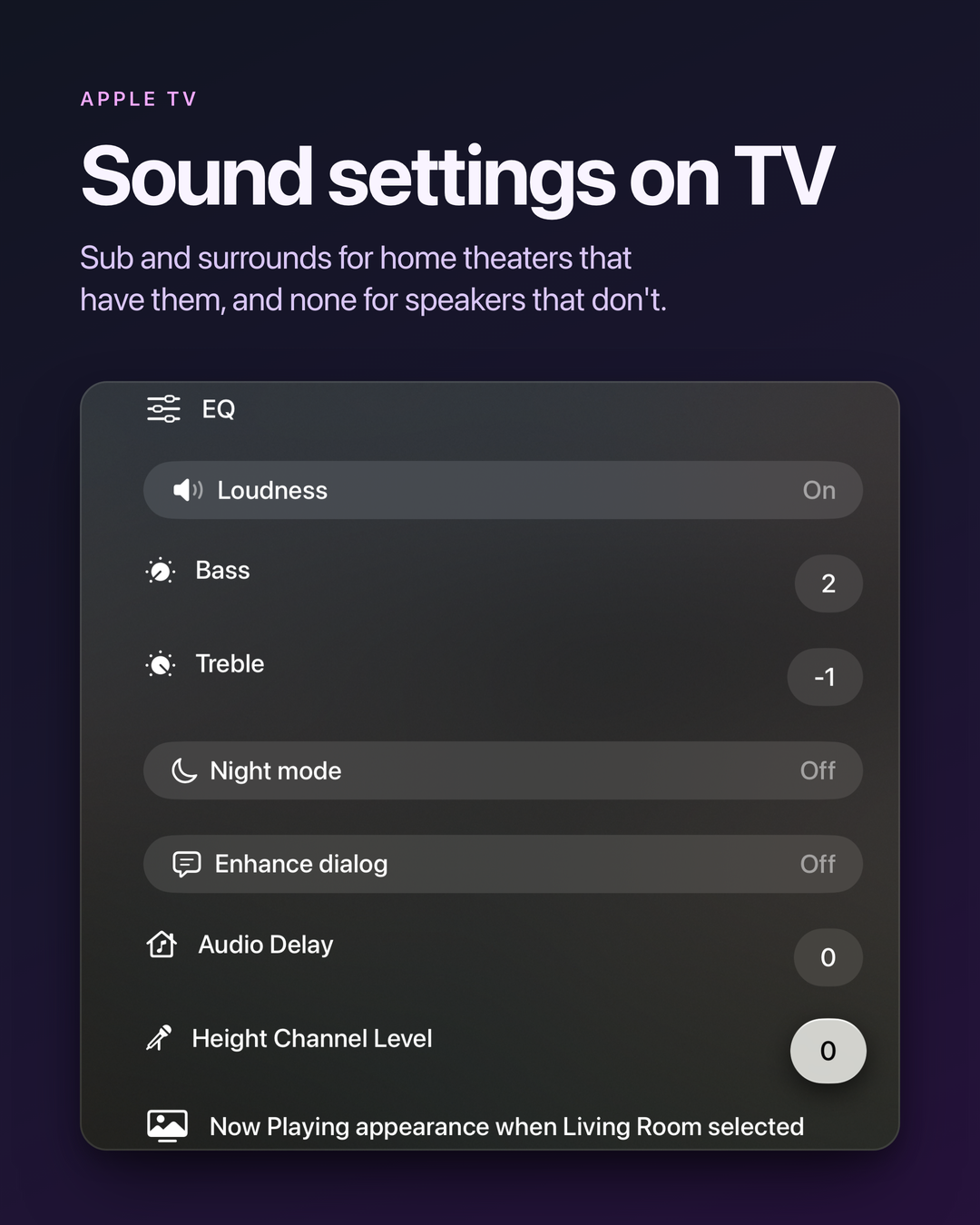
- Speaker settings show what the room has: sub and surround settings for home theaters that have them, and none for speakers without. New: Line-In Level, and Invert Sub Polarity on Amp.
- Battery and reachability show above the volume control for a speaker that isn’t plugged in.
- Amp Multi zones each keep their own appearance settings.
- Internet radio shows the show or station name instead of a blank title.
- Choosing a room no longer shows another group’s music because of a group Sonos stopped reporting.
- Playback controls show as soon as Bops finds your room, instead of sometimes staying a spinner until you quit Bops.
- Play/pause no longer flashes back when you press it quickly, and stops live radio, which can’t pause. Previous restarts the song once it’s past 10 seconds.
- On tvOS 27, pressing up on the volume control no longer opens the sidebar.
- Fixed: a crash playing a Sonos favorite from another service, and a possible freeze where the screen stopped updating until you quit Bops.
Acknowledgements
Huge thanks to the beta testers who helped us test this release. Your feedback is invaluable and helps make Bops even better! If you have any feedback or suggestions for future releases, please don’t hesitate to reach out! I would love to hear from you. pal@urcomputeringpal.com