iPhone & iPadVersion 2026.11.0App Store
Faster Sonos, sound settings one tap away, and a smarter queue
A new version of Bops: Music for Sonos is available on the App Store for all iOS 18.6+ users. Bops now hears from your Sonos speakers the moment something changes, puts each room’s sound settings one tap from Now Playing, and keeps the music going when your queue runs out, with a new set of queue tools for Gold members. It’s also ready for iPhone Duo, and easier on your battery. Download now and read on for details!
Faster Sonos
- Your speakers tell Bops the moment something changes, over a JSON websocket, as in the Sonos app. Bops confirms with far fewer UPnP polls in SOAP and XML. If Now Playing or volume misbehaves, turn it off in Settings → General → Sonos connection and let us know.
- Less battery. No polls in the background unless Bops is playing to Sonos.
- Bops says why Sonos can’t play a song you started.
- The Lock Screen’s Sonos controls work without Gold, show the right play state, seek when you drag, and come back after another app plays audio.
Sound settings, one tap away
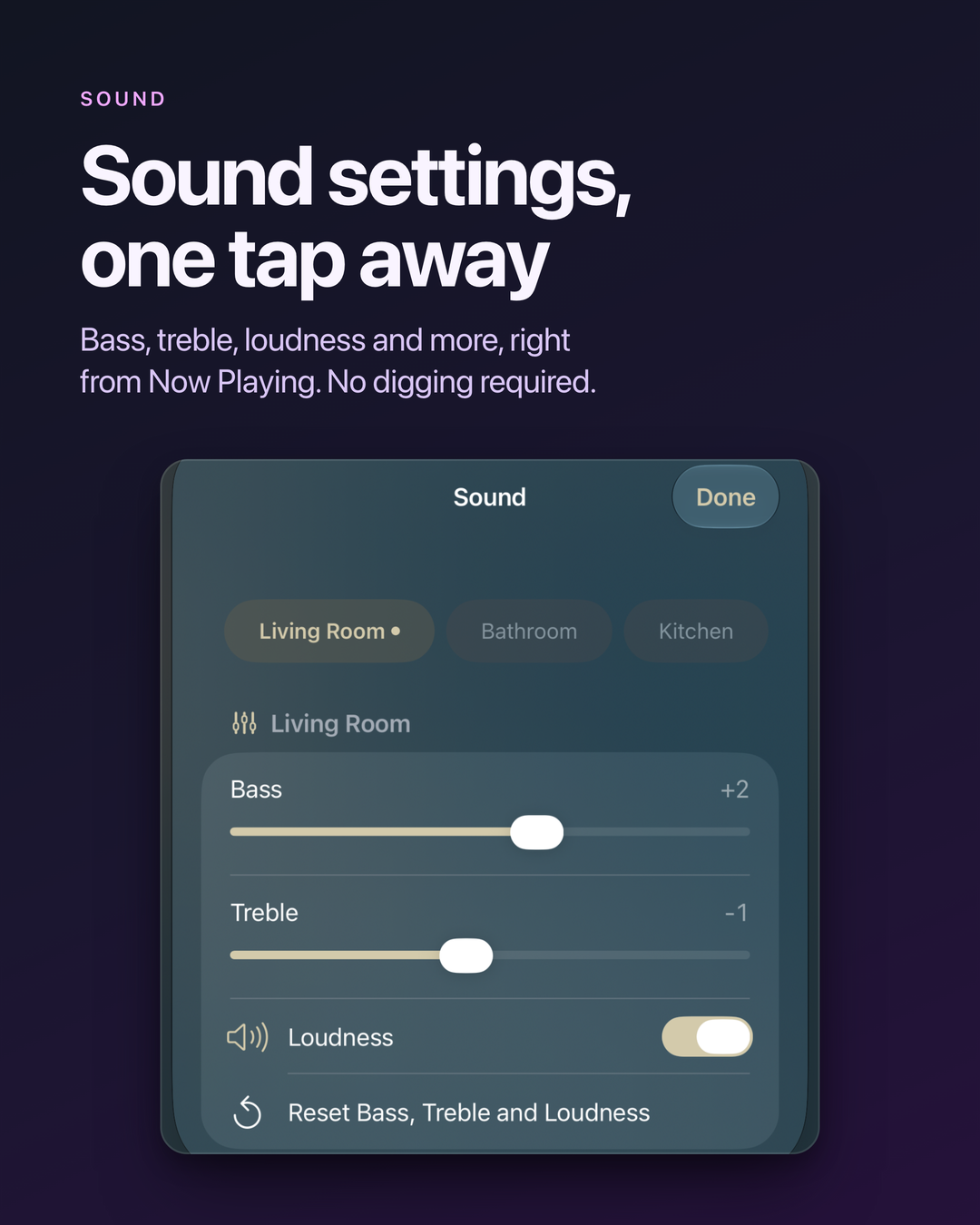
- Tap the sliders by the volume in Now Playing for each room’s Bass, Treble, Loudness, Volume Limit, and on speakers that have them, Night Sound, Sub, Surrounds, and more. During TV, Night Sound and Speech Enhancement replace shuffle and repeat.
- Rename rooms, and turn status lights and touch controls on or off, in Room Settings.
Keep the music going
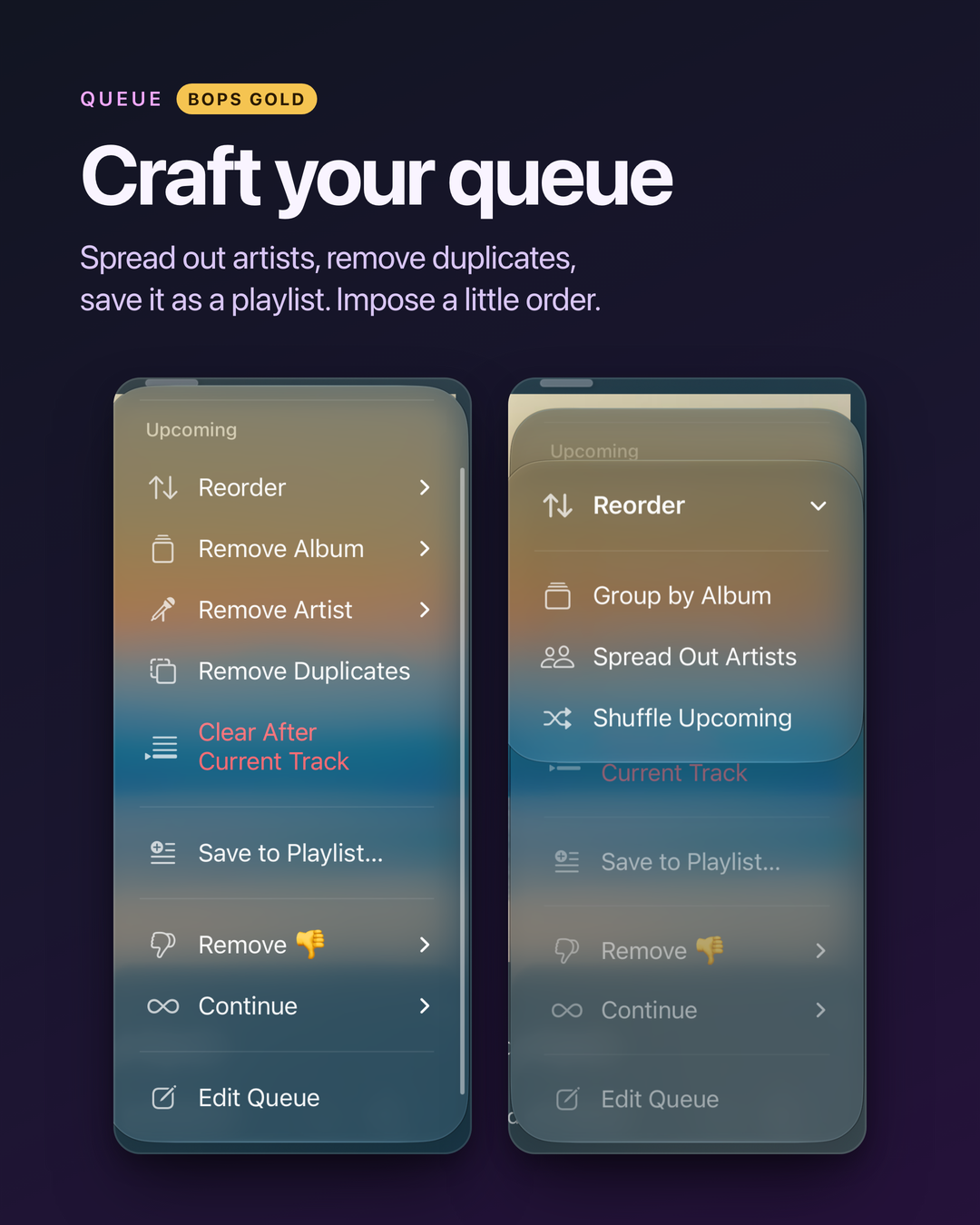
When your queue ends, Bops can keep playing Suggested Songs, your Personal or Discovery Station, the artist’s, or a Sonos Favorite. Pick one from Continue in the queue’s ⋯ menu, where you can also add the rest of the album. With Gold, set a default for each room in Settings → Gold → Playback.
Queue tools for Gold
- The queue’s ⋯ menu saves it to a playlist, shuffles or spreads out the artists in what’s next, removes duplicates or an artist, album, or genre, undoes the last edit, and restores your last 10 queues. Clear Queue doesn’t need Gold.
- Apple Intelligence names Recent Queues for their music, like Mellow 70s Soul, and Save to Playlist suggests the name.
- Auto-remove songs, albums, and artists you rated 👎, plus Play After This Album, the queue’s time left, and Shortcuts for these edits.
iPhone Duo, landscape, and iPad
Now Playing, Home, albums, and artists line up with the iPhone Duo’s fold, put the artwork to one side in landscape on iPhone, and fit iPad windows as you resize them.
Also new
- Pay once for Gold instead of subscribing.
- Play Now plays an album, playlist, or song right away, and your queue follows. Shuffle Now shuffles it. With songs queued, Play reads Replace Queue. Replace Queue Without Playing is off until you turn it on in Settings → Gold → Playback actions.
- A new opening. Bops slides its record out of the sleeve. Hold it to scratch.
- Animated album art on the Lock Screen (Gold, iOS 26 and later) while Bops plays on Sonos.
- Colorways (Gold) from any artwork, or what’s playing. Replaces Use less purple.
- Following (Gold) shows new releases first, only since you followed, and checks as you open Home.
- Scrub with the play button. Hold pause and drag.
- Home keeps going as you scroll.
- Top Songs on artist and genre pages.
- After a break, Bops hides the last song and can switch to the room that’s playing.
- Favorites and ratings show by each song in albums, playlists, and the queue.
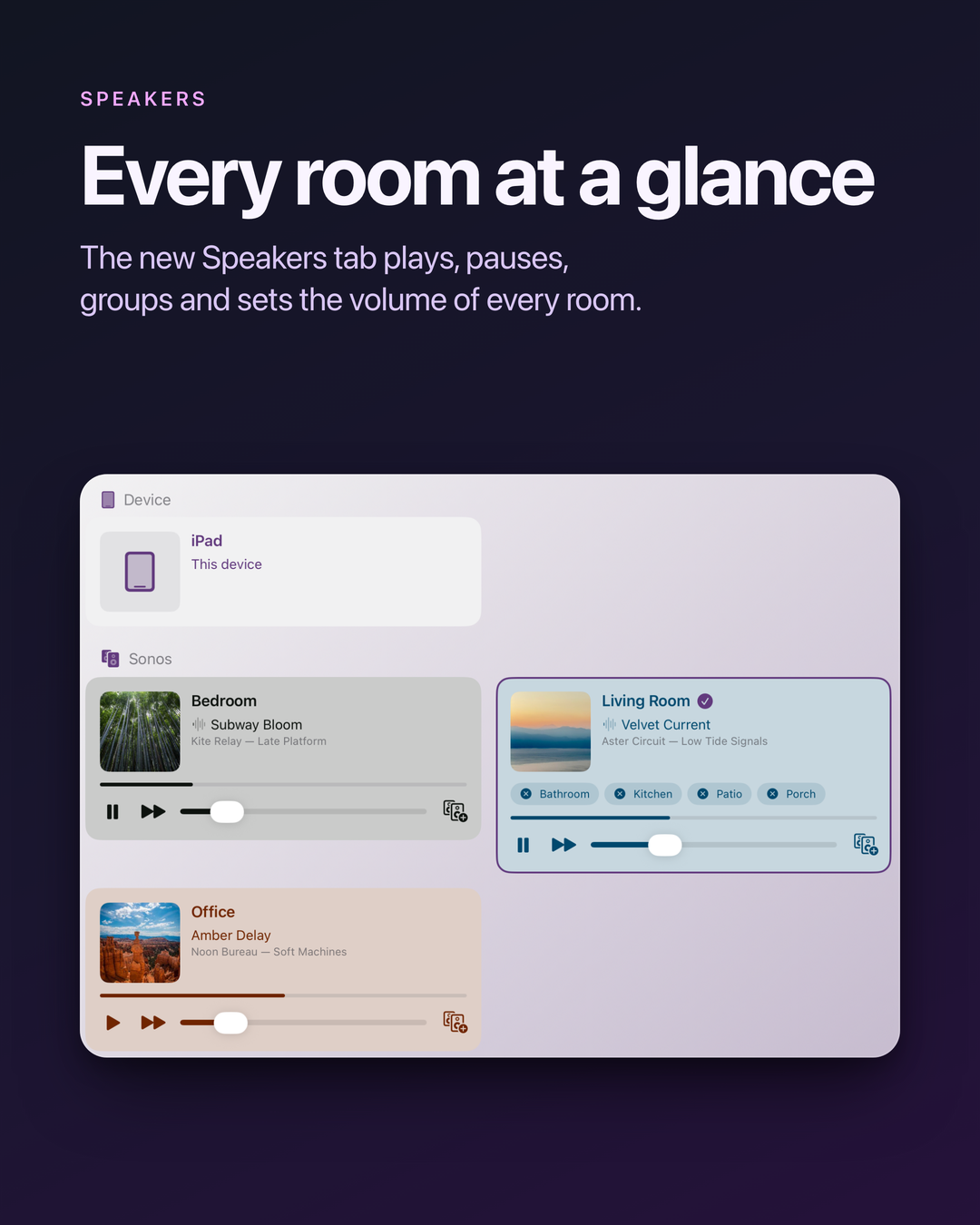
- Speakers tab. Play, pause, skip, group, and set the volume of every room, and play a line-in, like a turntable.
Bug fixes and improvements
- On iOS 27, Shortcuts, Spotlight, and Siri find Bops’s shortcuts, and the music widget’s play buttons (Gold) work.
- When a queue ends, what you play or add next starts a new queue instead of playing after it.
- Editing a Sonos queue with radio or another service’s songs no longer changes the wrong song.
- On Sonos, skipping no longer brings back the last song’s art, shuffle keeps repeat on, and play and pause don’t flash back.
- Playing on your iPhone starts sooner, and moving its queue to Sonos no longer adds a playlist to your library.
- A room in another’s group shows both names, like Kitchen (Bedroom +1). Swipe its volume row to leave the group.
- Bops respects Reduce Motion throughout.
- Fixed crashes from a quote or backslash in a room name, and on background launches.
Acknowledgements
Huge thanks to the beta testers who helped us test this release. Your feedback is invaluable and helps make Bops even better! If you have any feedback or suggestions for future releases, please don’t hesitate to reach out! I would love to hear from you. pal@urcomputeringpal.com