About Bops
Bops is a Sonos app built around Apple Music, for iPhone and iPad. Bops Now Playing is its Apple TV app. Both talk to your speakers directly on your network, with no account and no cloud in between, and neither shows ads. They work alongside the Sonos app, which you’ll still want for setup, updates and Trueplay. I make them, and this is what sets them apart.
Bops: Music for Sonos, for iPhone and iPad
Bops: Now Playing for Sonos, for Apple TV
Built around Apple Music
Bops uses Apple Music directly: your library, the catalog, your stations and recommendations, and an endless Home feed of album art. Ratings and favorites show next to every song. On iPhone and iPad, Bops is for Apple Music only.
Extras for Apple Music on Sonos, from your iPhone, iPad or Apple TV:
- Like or Suggest Less the song that’s playing.
- Songs you’ve rated 👎 stay gone. Bops takes them out of the queue, and skips them on Apple Music stations. It’s included on Apple TV, and part of Gold on iPhone and iPad.
- Lossless on Sonos when possible.
- The artwork, at its best: full resolution on your TV, including animated album art, and animated album art on the Lock Screen while Sonos plays (Gold, iOS 26 and later).
On Sonos or on the go
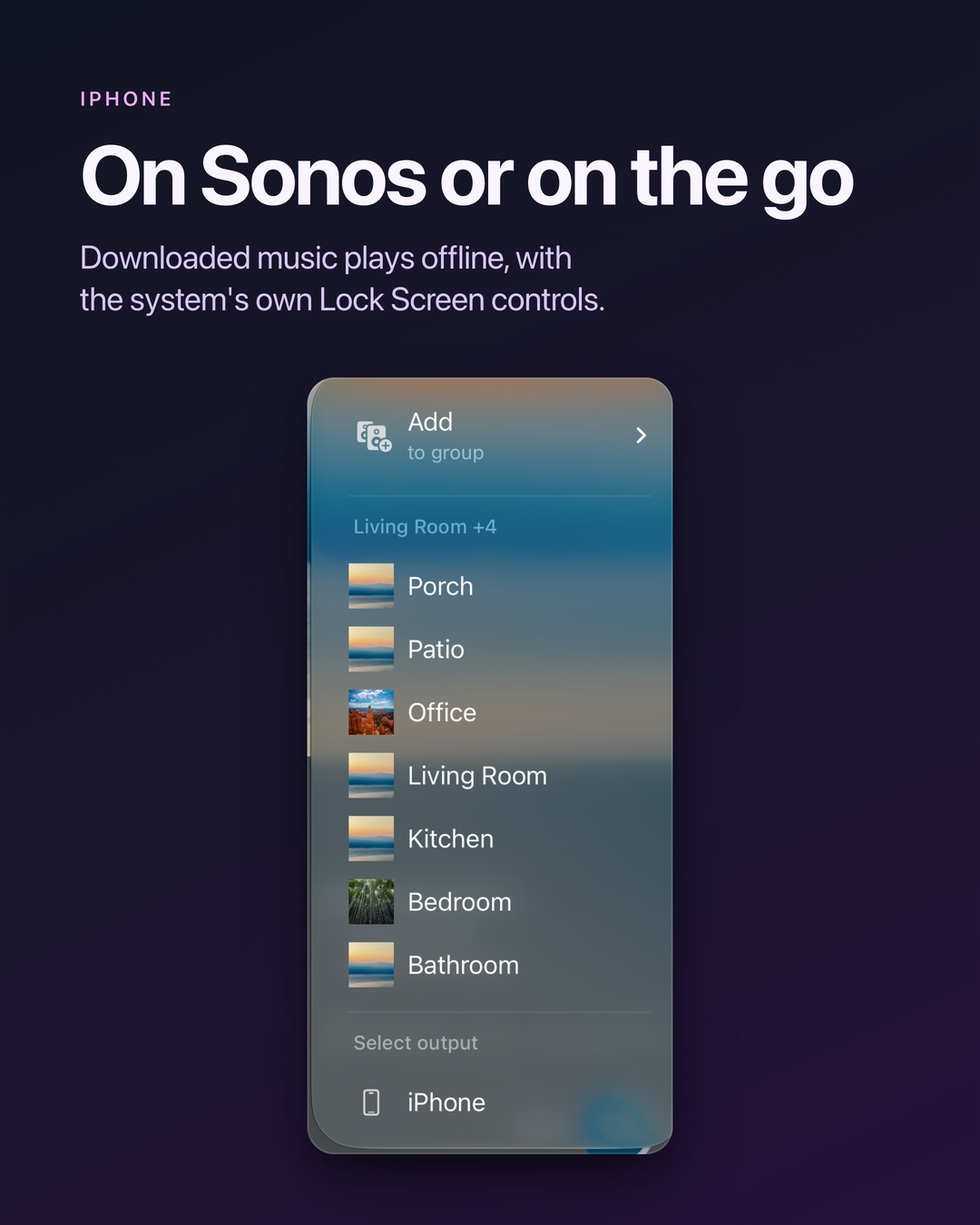
One app plays on Sonos at home, and on your iPhone or iPad everywhere else: headphones, Bluetooth, AirPlay, the car. Downloaded music plays offline, and Bops can switch to your iPhone when there’s no Sonos or no Wi-Fi. On your device it plays through the system player, so the Lock Screen and Control Center controls are the system’s own. With Gold, you can take your Sonos queue with you when you leave.
You pick what plays next
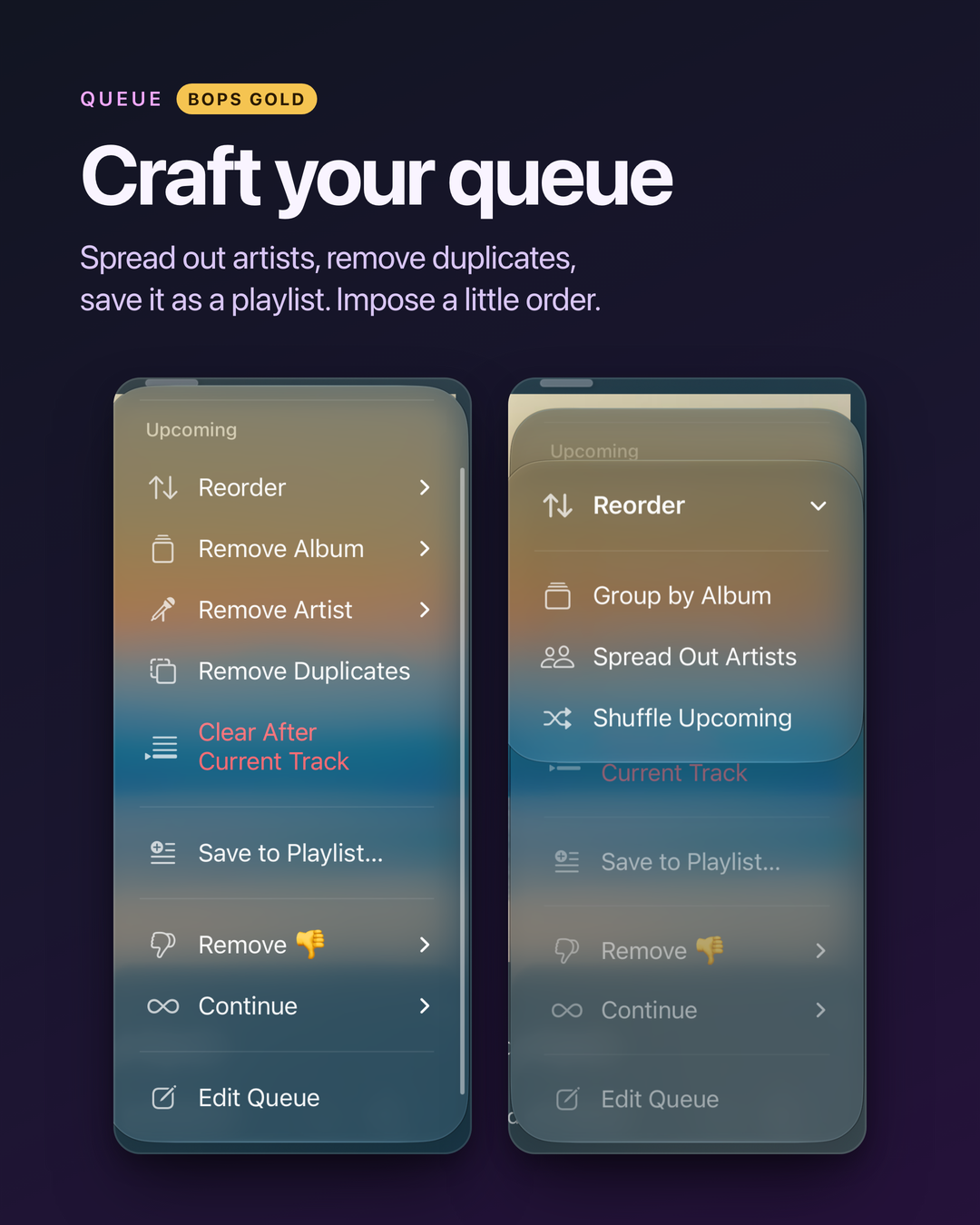
When a queue ends, Bops keeps going with what you choose: Suggested Songs, your Personal or Discovery Station, the artist’s station, a Sonos Favorite, or the rest of the album. It’s under Continue in the queue’s ⋯ menu. With Gold, you can set a default for each room.
Craft your queue
With Gold: save the queue to a playlist, shuffle or spread out the artists in what’s next, remove duplicates or a whole artist, album or genre, undo, and bring back any of your last 10 queues, named for their music by Apple Intelligence.
Sonos volume, in Siri
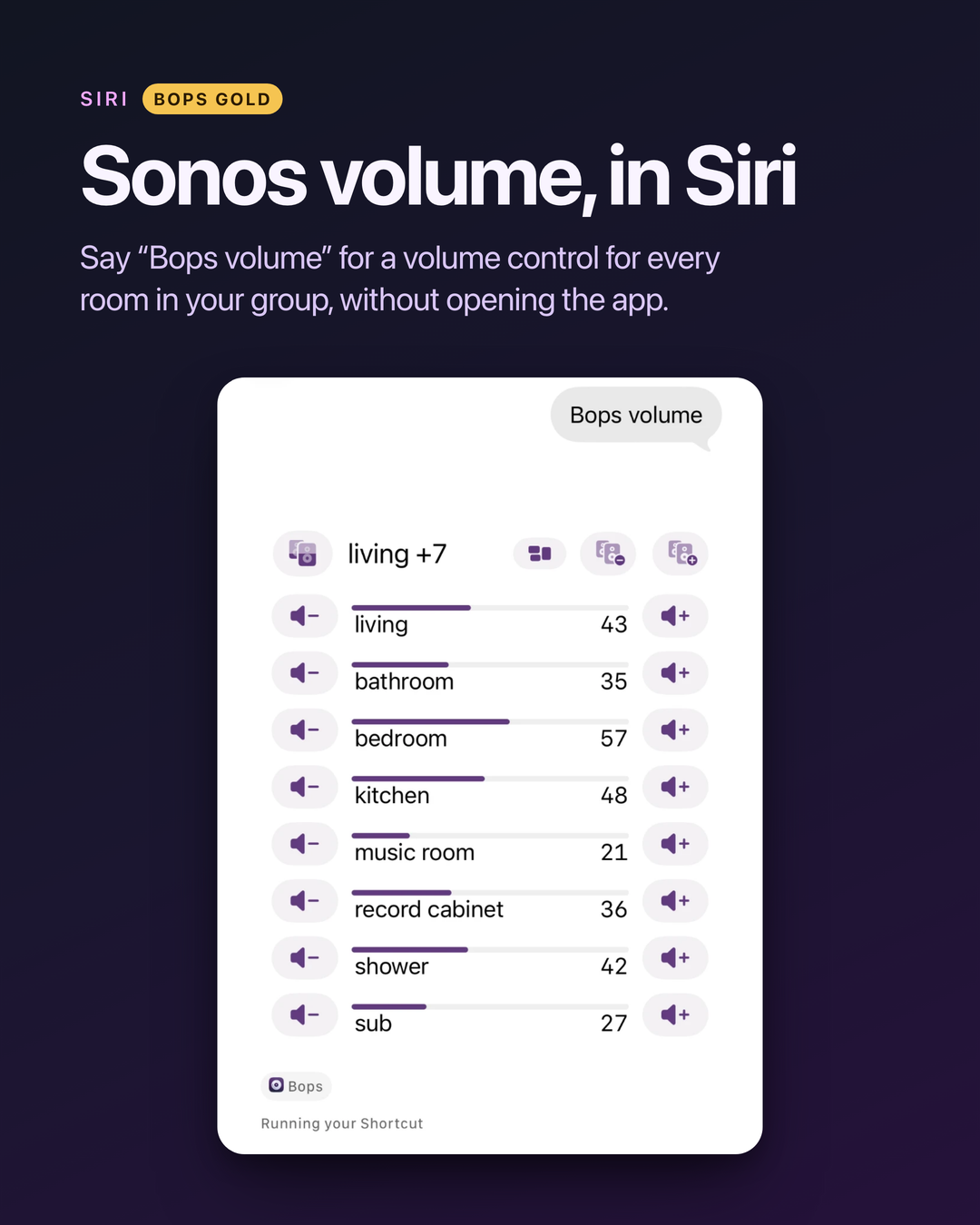
With Gold: say “Bops volume” and Siri shows a volume control for every room in your Sonos group, right in the conversation, without opening Bops. It’s in Siri on iOS 27.3 and later, and in Shortcuts and Spotlight on earlier versions.
Faster, and closer to hand
- Faster on your speakers. They tell Bops the moment something changes, over their local websocket, instead of Bops asking every 3 seconds. Be Here Now explains how.
- Sound settings, one tap from Now Playing: Bass, Treble, Loudness and Volume Limit, plus Night Sound, Speech Enhancement, Sub, Surrounds and Height on speakers that have them.
- The Speakers tab: every room on one screen. Play, pause, skip, group, set the volume, or play a line-in, like a turntable.
- Scenes (Gold): save groups and volumes, and recall them in a tap, from Bops, Siri, Shortcuts or your Apple TV.
Bops Now Playing, on Apple TV
Apple TV has no Sonos app. Bops Now Playing shows what any room is playing, from any service, on your TV, and puts every playing room and your Sonos favorites on the Top Shelf. Your soundbar’s settings are on the remote: Night mode, Enhance dialog, Sub and Surround levels, Audio Delay and Height, and only the ones your speakers have. The Scenes you saved on iPhone are there too. Everything in it is included: nothing on Apple TV needs Gold.
Bops Gold
Gold adds the queue tools, Scenes, Siri and Shortcuts, widgets and Live Activities, Colorways, and more. Pay once for it, or subscribe. Everything Gold includes, and what doesn’t need it.
More
- Screenshots of the App Store versions, with demo art in place of album covers.
- What’s new, release by release.
- Docs, from getting started to every Siri command.
- Questions or ideas? Write to me at pal@urcomputeringpal.com.